
What Are Audio Visual Aids?
Audio visual aids are teaching tools that use sound and visual elements to help explain ideas and improve pupil understanding. They allow teachers to present information in a more engaging way than traditional methods alone.
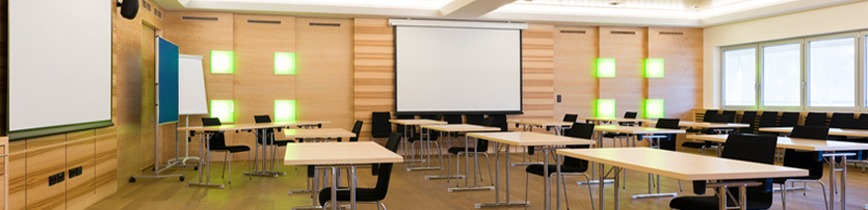
In modern classrooms audio visual aids often include visualisers, large displays, data projectors and sound systems. These technologies help teachers present content clearly and ensure pupils at the back of the classroom receive the same experience as those at the front.
Why Audio Visual Aids Improve Learning
Many pupils learn better when information is presented visually or through demonstrations rather than through spoken explanation alone. Audio visual tools make lessons more dynamic and easier to understand.
They also help teachers illustrate complex ideas. Diagrams, videos, demonstrations and real-time examples can make subjects clearer and more memorable for pupils.
Audio visual technology can also increase engagement. When lessons include visual material and interactive demonstrations, pupils are more likely to remain focused.
10 Common Audio Visual Aids Used in Schools
1. Classroom Visualisers
Visualisers allow teachers to display books, objects or demonstrations on a large screen so the entire class can see clearly. Modern classroom visualisers are widely used across schools.
2. Interactive Displays
Large interactive displays allow teachers to write, draw and display digital resources during lessons.
3. Data Projectors
Data projectors are widely used in schools to display presentations, videos and lesson content.
4. Classroom Sound Systems
Sound systems ensure that teachers’ voices and multimedia content can be heard clearly across the classroom.
5. LED Displays
Large LED screens provide bright, clear images and are increasingly used in modern classrooms.
6. Educational Videos
Video content can help explain difficult concepts and provide visual examples.
7. Digital Presentations
Slideshows allow teachers to structure lessons and present information clearly.
8. Document Cameras
Document cameras are used to display printed materials or objects to the whole class.
9. Interactive Software
Educational software allows pupils to interact with learning materials on classroom displays.
10. Visual Demonstrations
Demonstrations using AV technology help pupils understand processes and concepts more easily.
Choosing the Right AV Equipment for Schools
Schools selecting audio visual equipment should consider reliability, ease of use and compatibility with existing classroom technology. Equipment that integrates smoothly with displays, projectors and teaching software can make lessons easier to deliver.
The most effective AV setups combine several tools such as visualisers, projectors and large display screens to support different teaching methods and learning styles.