
Building an AV system for your school that both faculty members and students appreciate is sometimes as simple as specifying high-quality equipment if the environment it lives in has good audio qualities and the proper placement. But it begs the question, how are you to know the optimal setup?
A mistake you can avoid now is buying expensive equipment and hoping for the best, and in its place, working with an Audio Visual specialist to design a school AV system that’s the best fit for its intended use case.
Answers to your questions below.
What is a school Audio Visual system?
It is an equipment package or series of configurations that provide learning and interactivity opportunities for staff and students.
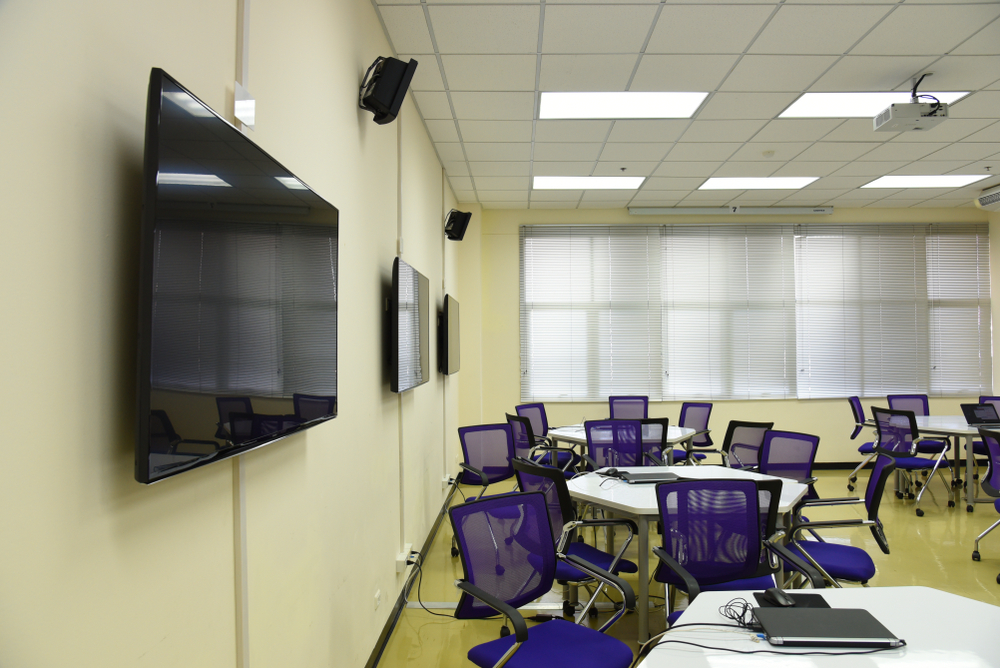
Kit could include projectors, displays, touchscreens, speakers, audio/PA, wall controls, and accessories, such as microphones. It’s a complete system when it provides functionality, be that displaying videos with high-quality external audio, or letting students draw on tablets and see their work on the wall via a projector.
How to specify the correct projector?
Your school needs a projector for any large area where students are expected to observe and watch content, and the correct specification depends on the distance between your proposed projector location and the flat surface.
The 4/6/8 rule applies here, which tells us where to put your audience based on screen height, with four, six or eight times the height of the screen for different viewing scenarios (basic to detailed).
The approach professionals take is this:
Measure your screen height, then:
- 4x height = closest viewers should sit (for detailed work, reading small text)
- 6x height = ideal middle distance (normal classroom viewing)
- 8x height = furthest back viewers can sit (still see main content, but not fine details)
Example: If your screen is 2 metres tall:
- Front row: 8 metres away minimum
- Sweet spot: 12 metres away
- Back row: Circa 16 metres maximum
Throw distance applies too, which tells us how far the projector needs to be from the screen to create the best image size.
A little finesse is often necessary because your projector might theoretically need to sit in the middle of where students sit.
Not to worry here, since we could either mount it on the ceiling above their heads or choose a projector with a long throw ratio that can sit at the back of the room.
Project onto a screen or wall?
The situation where a wall works is if it’s blank and accommodates the correct projection image size. Otherwise, a projector screen of the fixed or roll-up variety provides a convenient solution and slight reflective qualities that make your image appear crisper and more colourful.
Why have a projector instead of a TV?
Both actually have their place. A TV (or display) provides an extremely bright image that doesn’t wash out and delivers maximum detail from the resolution.
A projector reduces that overall clarity in return for a much larger image at a lower cost, so if you need to display an image beyond five or six metres, projectors make economic sense for school budgets, and TVs make sense for reduced distances. It isn’t a question of one bettering the other, but rather, each having a perfect use case.
What do teachers use instead of projectors?
Visualisers for live demonstrations, with their cameras capturing real-time images that display on LED displays, which are one of the most popular upgrades to projectors for small viewing distances, with 65” to 86” models providing real estate for 4K.
Some displays even have multi-touch, letting you skip the pesky remote control and touch your way to success in interactive lessons. Of course, these technologies can also complement projectors.
Which brands are reputable for school Audio Visual equipment?
For touchscreens, Promethean. Clevertouch, SMART, Ilyama, BenQ, C Touch, and Viewsonic, and Samsung, LG, and Viewsonic (again) for LED displays. Vivitek, Epson, Panasonic, and Viewsonic (yet again, they’re everywhere) for projectors. Any of these is a rock-solid choice for your Audio Visual.
Where does KPMS come in?
KPMS is an Audio Visual designer, supplier, and installer for schools and all other industries. Our packages include the complete setup for your AV requirements and competitive prices due to our relationship with leading brands (as above).
Our work in educational institutions includes Wakefield Grammar School for screens and projectors, Ripon Grammar School for the same, Bishop Burton College, Trent College, Aston Academy, and many more.
Our offerings:
- Audio Visual consultancy, for new and existing systems
- Audio Visual design, for modernisation and performance
- Product supply, if you’re happy handling installation
- Audio Visual installation, for the optimal configuration
- Audio Visual maintenance, for the equipment that needs it
Any questions, feel free to email us or call:
- info@kpms.co.uk
- Telephone: 01924 423 111, Monday – Friday: 8 AM to 5 PM