
For many schools, choosing the right classroom display technology is one of the most important technology investment decisions they will make. Whether replacing ageing projectors or equipping new learning spaces, school leaders need solutions that improve teaching, engage pupils and provide long-term value.
Two of the most common options are interactive displays and projectors. While both can deliver visual content to a classroom, they offer very different experiences for teachers and learners.
This guide explores the strengths and weaknesses of each approach and explains why many UK schools are increasingly moving towards interactive display technology.
Why Classroom Display Technology Matters
Visual learning plays a significant role in modern education. Teachers rely on display technology to present lesson content, demonstrate concepts, display videos, encourage collaboration and support interactive learning activities.
Effective classroom technology should:
- Be easy for teachers to use
- Improve pupil engagement
- Support a range of learning styles
- Deliver clear and reliable performance
- Integrate with existing educational software
- Offer value for money over the long term
The decision between projectors and interactive displays should be based on educational outcomes as well as budget considerations.
What Are Interactive Displays?
Interactive displays are large touchscreen screens that combine the functionality of a traditional whiteboard with modern digital technology.
Teachers can:
- Write directly onto the screen
- Annotate documents and presentations
- Save lesson notes
- Display multimedia content
- Connect laptops and tablets
- Use educational applications
Many interactive displays now support multi-touch functionality, allowing several pupils to interact with the screen simultaneously.
What Are Classroom Projectors?
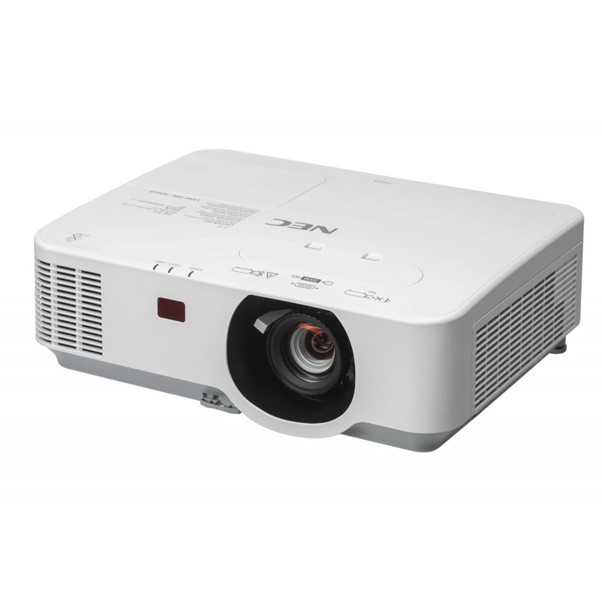
Projectors display images onto a wall or projection screen using light projection technology.
For many years, projectors were the standard classroom presentation solution because they offered large image sizes at a relatively affordable cost.
Modern projectors can still provide excellent image quality, but they often require additional equipment such as:
- Screens
- Mounting brackets
- Cabling
- Audio systems
They also require ongoing maintenance, including lamp replacement and servicing.
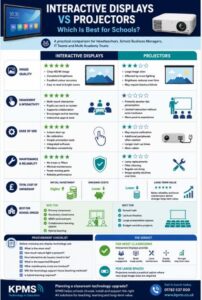
Image Quality Comparison
One of the biggest differences between the two technologies is image quality.
Interactive Displays
Interactive displays typically provide:
- High-definition resolution
- Consistent brightness
- Excellent colour reproduction
- Sharp text and graphics
- Visibility in bright classrooms
Because the image is generated directly from the screen, there is no loss of quality caused by ambient light.
Projectors
Projectors can deliver large images but are often affected by:
- Bright sunlight
- Classroom lighting
- Screen quality
- Lamp performance
Over time, image quality may decline as projector lamps age.
For schools that prioritise consistent image quality throughout the school day, interactive displays often have a clear advantage.
Teacher Experience
Technology adoption often depends on how easy it is for teachers to use.
Interactive Displays
Interactive displays are designed with classroom use in mind.
Benefits include:
- Instant startup
- Touchscreen functionality
- Integrated whiteboarding tools
- Wireless connectivity options
- Easy lesson annotation
Teachers can move naturally between presenting information and interacting with content.
Projectors
Projectors are generally less interactive unless paired with specialist accessories.
Common challenges include:
- Calibration requirements
- Shadowing effects
- Additional peripherals
- Longer startup times
For teachers who want a seamless classroom experience, interactive displays typically offer greater flexibility.
Pupil Engagement
Schools increasingly focus on active learning and pupil participation.
Interactive displays support this approach by allowing pupils to:
- Participate in quizzes
- Solve problems on screen
- Collaborate in groups
- Engage with educational software
The ability to physically interact with content can make lessons more engaging and memorable.
While projectors can display engaging content, they generally provide a more passive viewing experience.
Maintenance and Reliability
Technology maintenance is an important consideration for school budgets.
Interactive Displays
Interactive displays typically require minimal maintenance.
There are:
- No projector lamps
- No filters
- Fewer moving parts
Many displays can operate reliably for years with little more than routine cleaning and software updates.
Projectors
Projectors often require:
- Lamp replacements
- Filter cleaning
- Image recalibration
- Ongoing servicing
Over the lifespan of the equipment, maintenance costs can become significant.
Total Cost of Ownership
Schools should evaluate technology investments over several years rather than focusing solely on initial purchase price.
Although interactive displays may have higher upfront costs, they often provide savings through:
- Reduced maintenance
- Lower support requirements
- Longer lifespan
- Improved reliability
Projectors may appear less expensive initially but can generate higher long-term ownership costs.
Which Technology Is Best for Different School Environments?
Interactive Displays Are Often Best For:
- Primary classrooms
- Secondary classrooms
- SEND environments
- Collaborative learning spaces
- Technology-rich classrooms
Projectors May Still Be Suitable For:
- Large halls
- Lecture theatres
- Budget-sensitive installations
- Rooms requiring very large image sizes
Many schools now use a combination of both technologies depending on room requirements.
Future-Proofing School Technology
Educational technology continues to evolve rapidly.
Interactive displays increasingly support:
- Cloud-based learning
- Wireless screen sharing
- Video conferencing
- Learning management systems
- Artificial intelligence tools
Schools investing in classroom technology should consider how their chosen solution will support future teaching practices.
Interactive displays are generally better positioned to adapt to changing educational requirements.
Conclusion
Both projectors and interactive displays have a place within modern education. However, for most classroom environments, interactive displays now offer significant advantages in terms of image quality, engagement, usability and long-term value.
While projectors remain useful in larger spaces and specialist environments, many UK schools are transitioning towards interactive displays as the preferred classroom solution.
By carefully evaluating educational goals, technical requirements and long-term costs, schools can select technology that delivers meaningful benefits for teachers and learners alike.
Frequently Asked Questions
Are interactive displays replacing projectors in schools?
Many schools are replacing classroom projectors with interactive displays because they offer improved image quality, lower maintenance requirements and greater interactivity.
How long do interactive displays typically last?
Most commercial education displays are designed to provide many years of reliable service with minimal maintenance.
Are projectors cheaper than interactive displays?
Projectors may have a lower initial purchase cost, but maintenance and replacement expenses can increase overall ownership costs.
Can interactive displays support hybrid learning?
Yes. Many modern displays integrate with video conferencing platforms and support remote learning environments.
Call to Action
Looking to upgrade classroom technology? KPMS provides a range of education technology and AV solutions designed to help schools create engaging, effective learning environments. Contact our team to discuss the best display technology for your school.